Finding reliable home internet in China as a family can be a daunting process, primarily due to language barriers and varying service levels between major providers. For families, consistent bandwidth for streaming, video calls, and remote work is essential. Whether you are moving into a new apartment or switching services, the landscape of home connectivity is dominated by three main state-owned providers. Understanding their individual strengths and the bureaucratic requirements for installation is crucial to ensuring your household remains connected without unnecessary downtime.
The Three Major Providers
In China, your internet options are primarily restricted to China Telecom, China Unicom, and China Mobile. While service quality can vary neighborhood by neighborhood, there are general trends to keep in mind. China Telecom is widely considered the gold standard for international connectivity and stability. If your family relies on accessing servers outside of China for work or specialized software, Telecom is often the most reliable choice. China Unicom offers competitive pricing and decent performance for local browsing and media consumption. China Mobile has aggressively expanded its fiber-optic footprint and often offers the most attractive bundled deals, particularly if you are already a mobile phone subscriber, though it may occasionally struggle with latency during peak hours for overseas traffic.
The Installation Process
Securing a connection typically takes 5-10 business days from the moment of application. Start by visiting a local service hall of your chosen provider. You must bring your original passport and a copy of your apartment rental contract. In some districts, the landlord's presence or a signed authorization letter is required to complete the installation. Once you apply, an engineer will be dispatched to your residence. These appointments are usually scheduled in windows, such as 'morning' or 'afternoon'. Ensure you have a Chinese-speaking friend or colleague assist you during the initial visit, as the technicians may need to confirm specific cabling access points in your building.

Optimizing Your Family Network
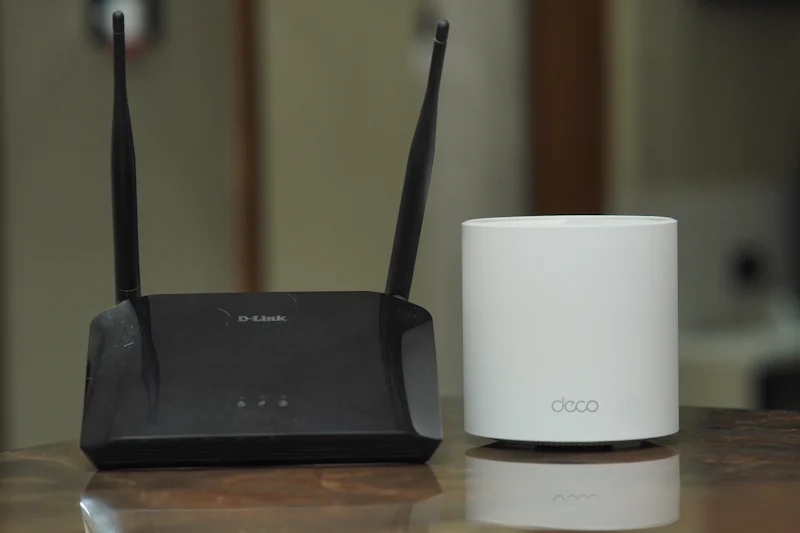
Once the technician installs the optical modem, you will likely find that the default router provided is insufficient for a modern family home. These routers often suffer from poor range and limited simultaneous device handling. Most expats choose to bridge the ISP-provided modem to a high-quality, dual-band Wi-Fi 6 router. This allows you to manage your home network settings, improve security, and set up parental controls directly through the router's interface. If you live in a large apartment, consider a mesh Wi-Fi system to eliminate dead zones in bedrooms and home offices.
Practical Tips for Maintenance
Managing your subscription is best done through official mobile applications like the Alipay (支付宝) mini-programs associated with your provider. Through these apps, you can monitor monthly data usage, pay bills, and even report technical outages. If you experience a service drop, use the app to log a repair request; this creates a digital ticket that the provider is required to address within a set timeframe. Always keep a copy of your account number handy, as customer support agents will ask for it during every interaction. Finally, if you are planning to move, remember to cancel or transfer your service at least 30 days before your contract expires to avoid unnecessary termination fees or ongoing charges for a property you no longer occupy.
Choosing the right internet plan is about balancing your specific family needs—heavy gaming or video streaming versus light browsing—with the infrastructure available in your specific compound. Which provider have you found to offer the most consistent speed for international connections in your city?
Quick Takeaways:
- China Telecom is generally superior for consistent international bandwidth and server access.
- Always have your passport and rental contract ready for the physical application.
- Expect a 5-10 day turnaround for the initial home installation process.
- Use the Alipay mini-programs to manage your monthly subscription and technical repairs.
- Bridge the ISP router to your own high-performance equipment for better coverage.
#livingguide #expatchina #homeinternet
